Integration with Tome
How to set up Tome to access neural networks via BotHub
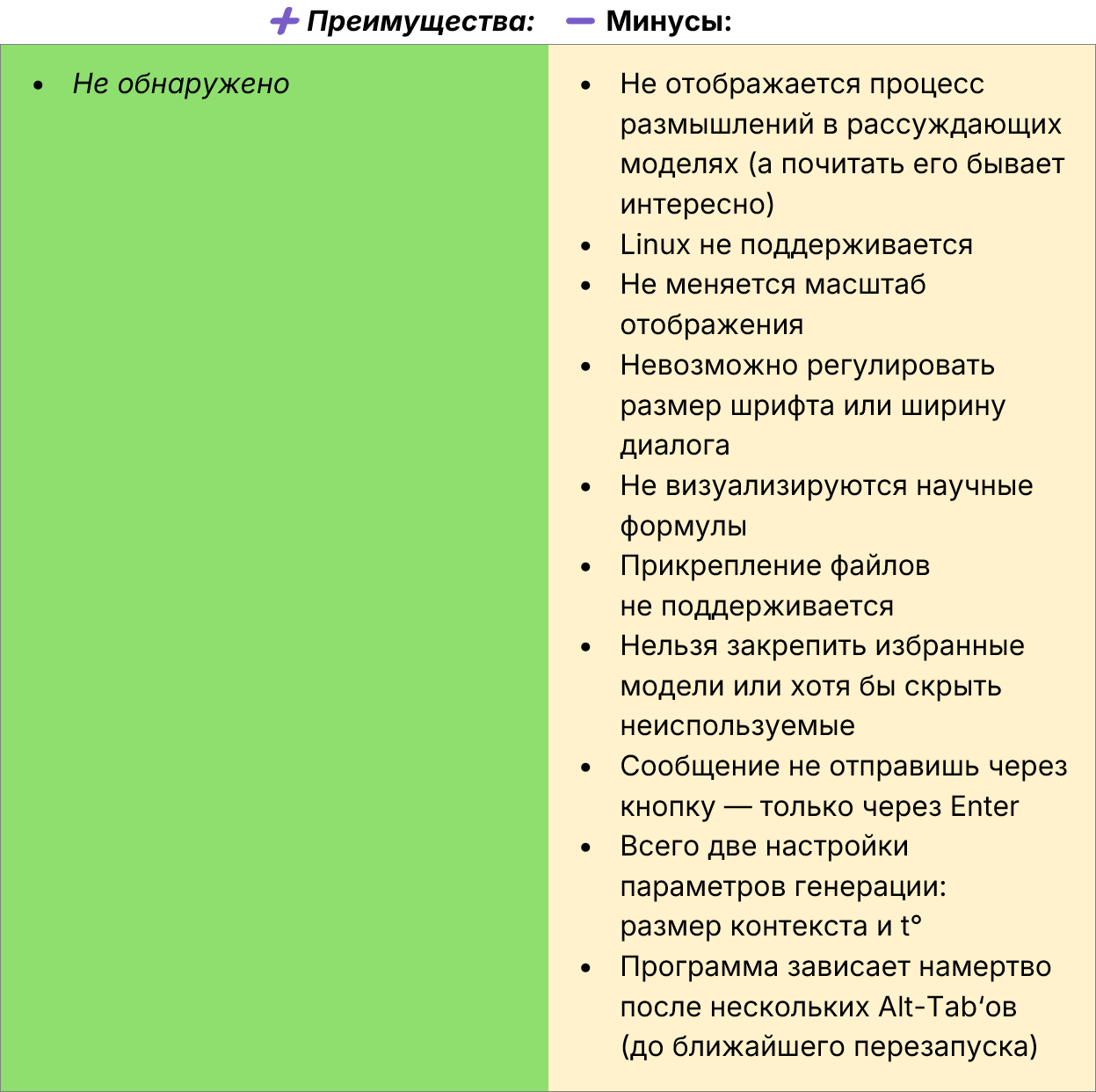
Note. The Kaas program has limited features. If more flexibility is needed, it is better to choose one of the following solutions:
• Msty, Cherry Studio (for Windows, Linux, macOS);
• Open WebUI (server + access via browser).
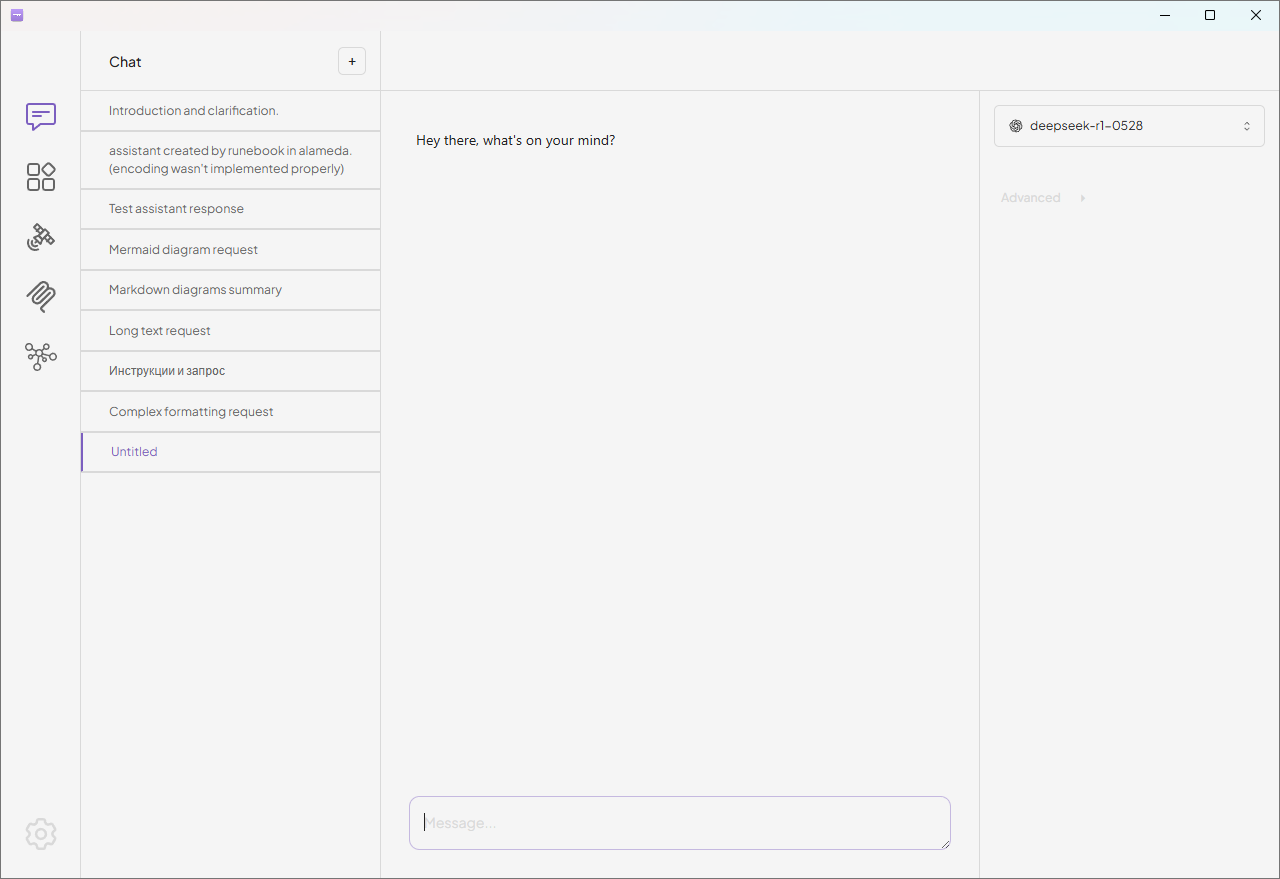
Tome — an experimental desktop client for LLM focused on MCP (Model Context Protocol).
🛠️ How to install
Download the installer for your platform (Windows, macOS) from the releases section on GitHub and run it.
⚙️ How to connect and what to configure
-
Open settings with the ⚙️ button.
-
In the Engines section, click Add engine and specify the necessary parameters:
-
Name: BotHub.
-
API key: can be obtained here.
🧙 How to use Tome
Tome is a minimalist client where all necessary functions are displayed on the main screen: list of models, prompt field, and two parameter sliders — context length and t° (opened by clicking the Advanced label).
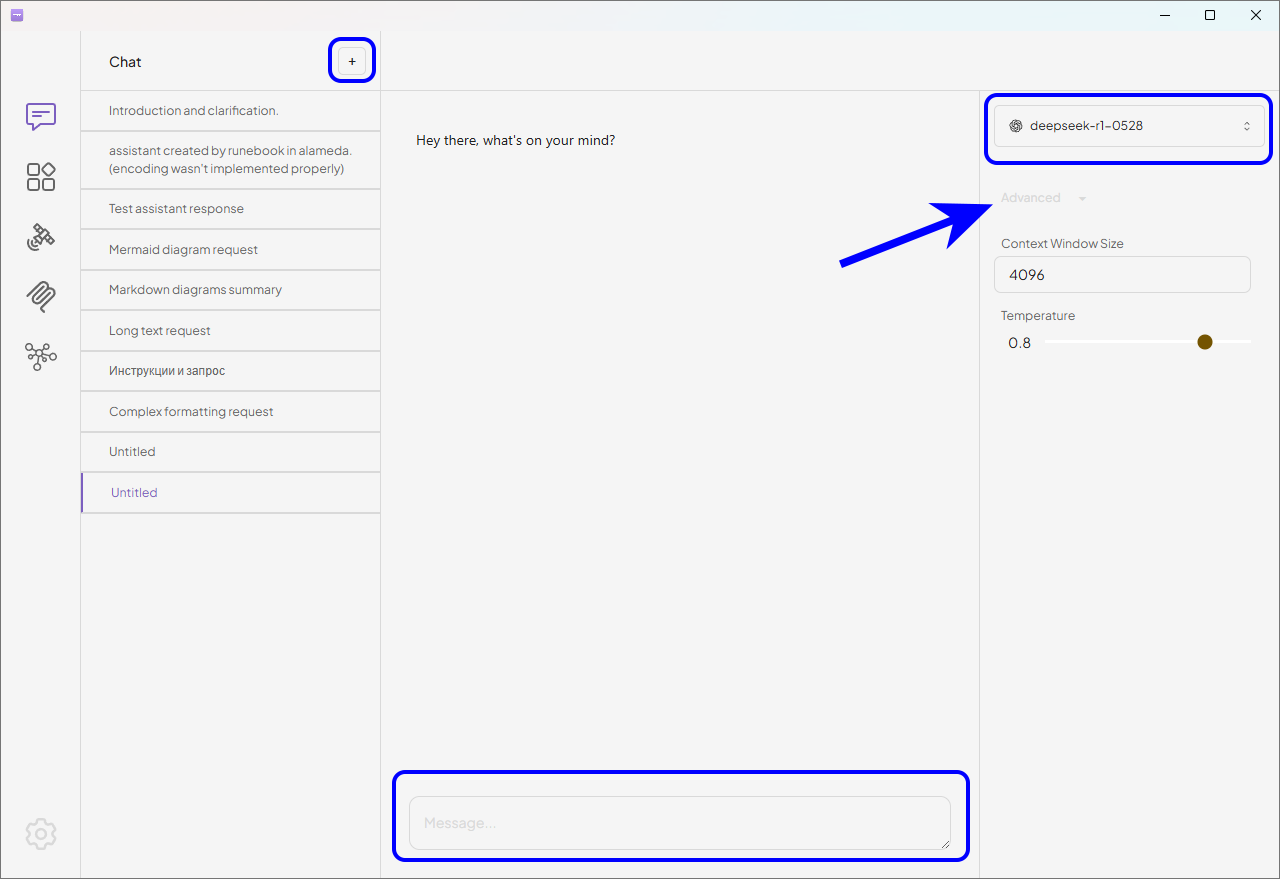
In this program, attaching files is not possible. Sending messages is only available by pressing Enter, as the interface does not have a similar mouse button.
A more detailed version of the article: https://habr.com/ru/companies/bothub/articles/953986