Business Cards Made with AI
AI picks fonts, colors and layout from a short description — from a classic corporate look to a bold, creative one.
Proofread the text and contacts before printing: AI models sometimes get letters and numbers wrong.
Business card for a barista trainer at Zerno coffee shop: navy blue, gold logo, contacts on the back
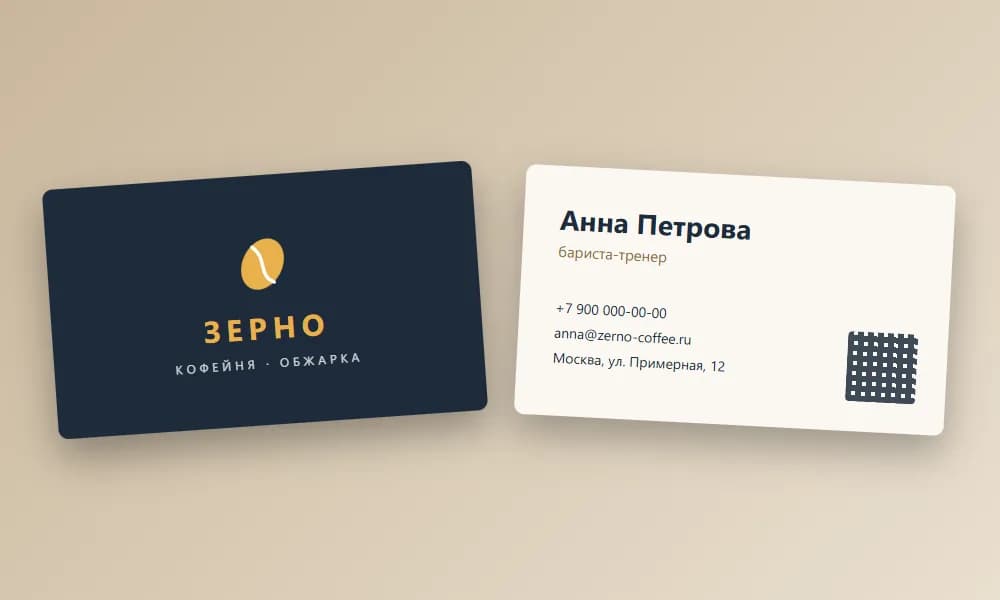
Sample result — illustration

Name, job title, phone, email, address.
Colors, mood, logo.
Ask for another one if needed.
Download the design and proofread the text before printing.
Name, job title, contacts and style — AI takes care of the rest.
Attach your logo with the paperclip — AI will include it in the design.
Ask for both sides of the card in one design.
Enter your name, job title, contacts and preferred style in the field above and send the message. AI will send a business card design — ask for another version or edits, and proofread the text and contacts before printing.
Yes: attach your logo file with the paperclip in the input field and say where to place it. AI redraws the image, so details of the logo may change — for print, it's better to put your original logo into the design in a graphics editor.
AI creates an image with the aspect ratio you set, not a file at an exact print size. Common business card sizes are 3.5 × 2 in and 85 × 55 mm; check the exact size, bleed and resolution with your printer.
Use it as a starting point. Printers usually require a file at the exact size, with bleed and in the right color profile, and a generated image may not meet these requirements. Proofread the text and contacts, and prepare the final file according to your printer's requirements.
The price depends on the model you choose: some models have a fixed price per image, others charge for prompt and image tokens. Caps are deducted only for actual usage — model prices and plans are listed in the “Pricing” section.
AI picks fonts, colors and layout from a short description — from a classic corporate look to a bold, creative one.
Proofread the text and contacts before printing: AI models sometimes get letters and numbers wrong.

